
VerifyChecked
VerifyChecked command is used to verify if the checkbox represented by the Locator(Page and Element) is checked .
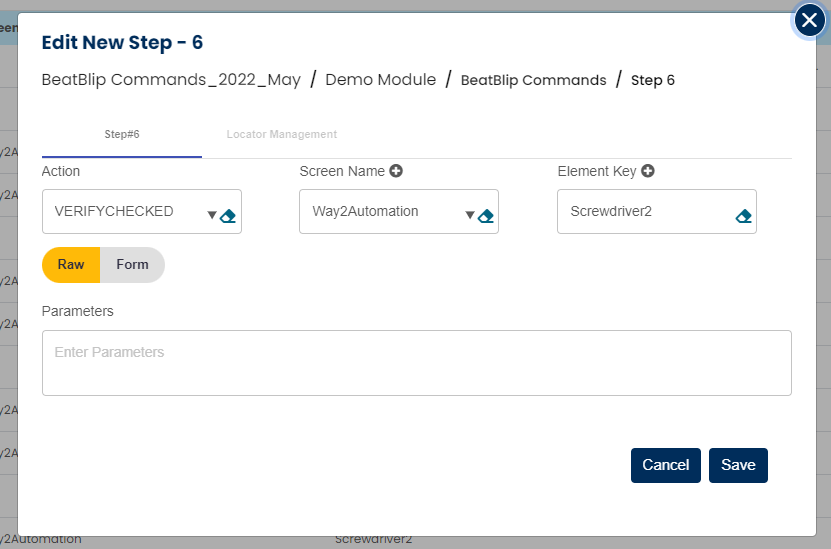
Select VERIFYCHECKED command from the action drop down, select desired Screen name, Element key and leave the parameter section blank as shown below:
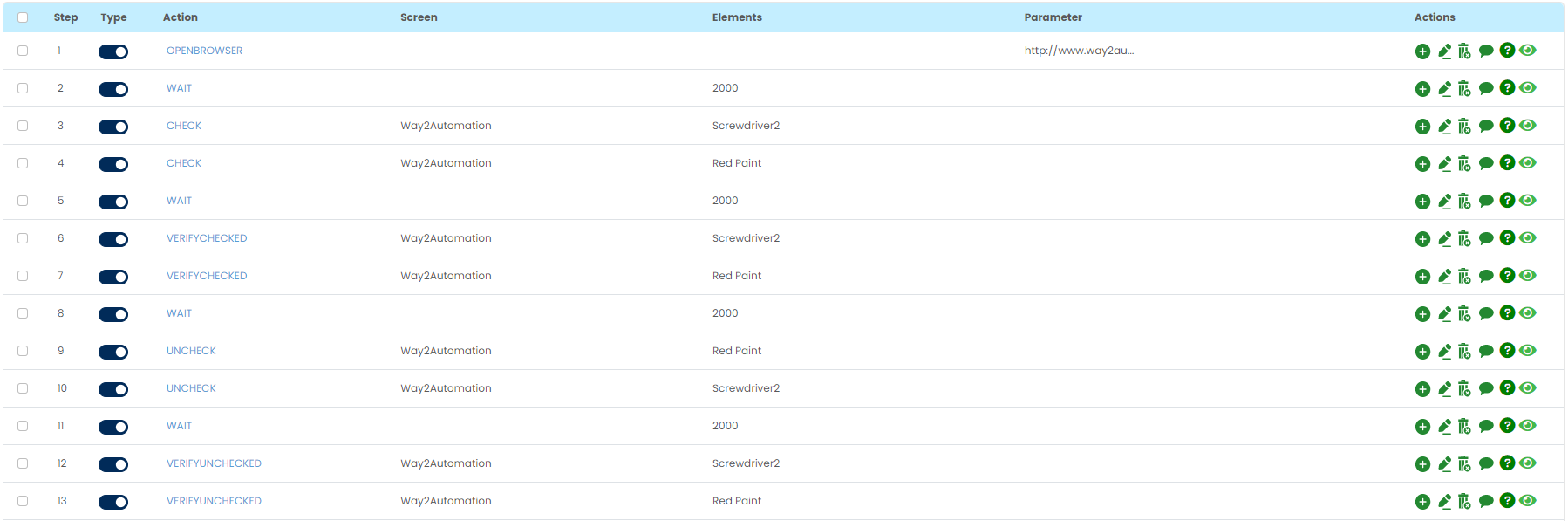
After completing this step, step will look as below:
Tabular view :
Card view :
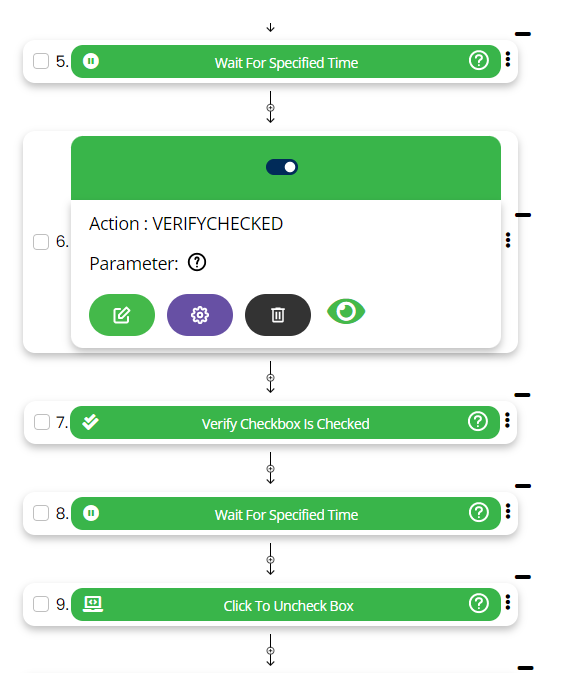
If checkbox is found checked then this step will pass else this will fail.